Why your website is not generating contact requests
Your website gets visits, your statistics show it, but contact requests are few and far between. More often than not, it is neither your trade nor your prices, it is what your visitors experience during the minute they spend with you. It has a name, user experience, or UX, and it can be measured and improved, step by step.
In short
- A visit is decided in a few seconds, the time it takes to find an answer.
- Everything starts from your visitors, their questions and their words.
- The essentials first, then the wish to read on.
- A fast site, readable on every screen and accessible to everyone.
- A clear, short path to getting in touch.
- Measuring what visitors do, then adjusting.
A visit is decided in a few seconds
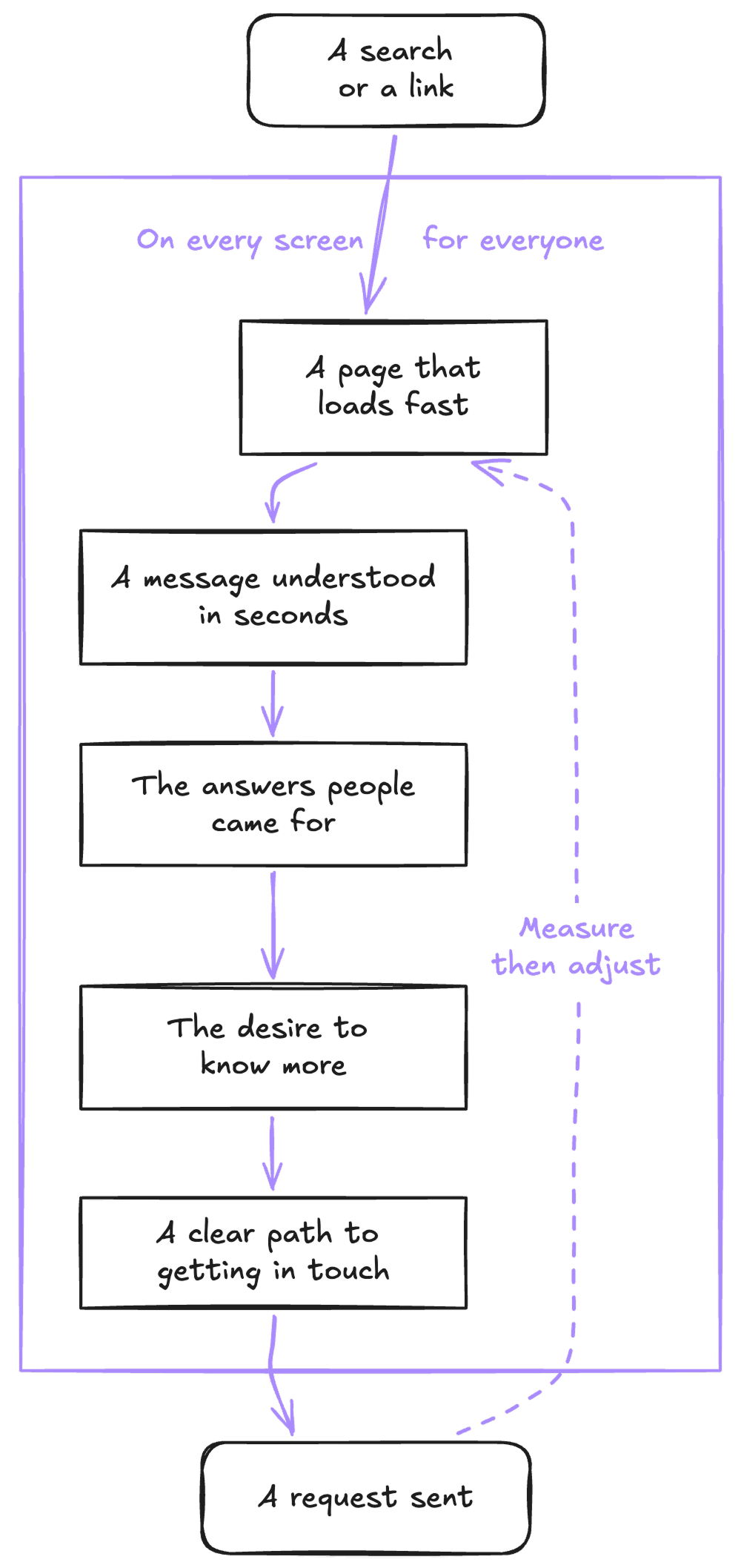
Think of the last time you looked for a craftsman, a restaurant or an architect. You opened three or four sites, scanned each page, and kept the one that gave you your answer fastest. Your visitors do exactly the same.
According to the Nielsen Norman Group, a leading user experience research firm, many visitors leave a page within ten to twenty seconds, but a page that clearly says what it offers holds attention much longer. Before even reading a word, a visitor judges how a page looks in a fraction of a second, around 50 milliseconds according to a 2006 study. Within a few seconds, your page must therefore say what you do, for whom, where, and how to reach you.
A visit often lasts a minute or two. That is not much, and it is all the time you have to turn curiosity into a contact request. When the experience is good, visits grow longer on their own.
On Stiip, my hilly route planner for cyclists, visits last nearly three minutes on average.
Putting yourself in your visitors' shoes
User experience starts with a simple question. What kind of person comes to your site, and to do what? It is empathy before it is design, and everything else follows from it.
Knowing who comes, and why
Very different people cross paths on the same site, the client preparing a project, the company looking for a reliable partner, the person comparing several offers, and the one who would like to join the team. Each arrives with their own question, in their own situation. One browses on a phone between two appointments, another in the evening on the sofa, a third at the office, with three quotes open side by side.
Specialists call these portraits personas. For a business website, there is no need to go that far. For each page, simply ask who reads it, and what that person comes looking for.
Their questions, in their words
The questions people ask you on the phone are the best plan for your site. How much does it cost, how long does it take, do you come to my place, have you already done a project like mine? Every clear answer on the site is one less doubt before writing to you.
And words matter as much as answers. Your visitors are looking for a roof renovation, not a building envelope solution. The menu, the headings and the buttons work better in their words than in the trade's. That is why I start every project with a series of questions, which I describe in the questions I ask to create the best possible website.
Keeping only the essentials
Limited attention
Every element on a page asks for a little effort, a text to read, a choice to make, a window that opens. These efforts add up, which is called cognitive load, and our ability to concentrate has its limits, especially on a phone, between two tasks. According to the Nielsen Norman Group, a visitor reads at most 28% of the words on a page on average.
So it is not about saying less about your trade, but about saying the essentials first. One idea per section, headings that stand on their own, short sentences, and few choices at a time. Three clearly presented services say more than twelve listed side by side.
Making people want to read on
The aim is not to show everything on the home page, but to make people want to continue. A sentence that says what you do, a proof that reassures, then a link to what comes next. Each step answers a question and raises another, and the visitor moves forward without noticing, until the moment they want to write to you.
Drawing someone into a story in a minute or two is no easy task. That is precisely the whole job, bringing the person into your world through your story, and it is what makes the difference between a site people browse and a site they remember.
A good website should be easy to skim, and make people want to stop and find out more.
A site that loads fast
Speed is the very first impression, even before the first word. A page that keeps people waiting gives the visitor time to go back to their search results and try the next one.
53%
of mobile visits are abandoned when a page takes more than three seconds to load (Google, 2016).
+32%
visitors leaving straight away when a page takes three seconds to appear instead of one (Google, 2017).
+8.4%
conversions for retail sites, for a tenth of a second gained on mobile (Deloitte, 2020).
Google measures the real speed of your site among your visitors, with three benchmarks it calls the Core Web Vitals. The main content should appear in under 2.5 seconds, the page should respond to a tap in under two tenths of a second, and nothing should move while it loads. Google takes them into account in its ranking, even if content quality remains the first criterion. You can test your site for free with PageSpeed Insights, or follow these benchmarks in Search Console.
A fast site means images at the right weight, light code, few unnecessary scripts and good hosting. It is one of the first things I take care of on every site. And a light site, which uses less data and energy, is a real comfort for people browsing with a small data plan or a weak connection, while being greener too.
Readable on every screen
More than half of all visits worldwide now happen on a phone. But the phone is only one screen among many, and your site must stay comfortable on each of them. This is called a responsive site, one that adapts to the screen displaying it.
The phone
Held in one hand, often on the move, with a thumb for every gesture.
The tablet
Upright or sideways, on a sofa or a counter.
The small laptop
A thirteen-inch screen, where every centimetre counts.
The big screen
From the office monitor to 4K and 8K screens, where the page must keep its proportions.
The television
Read from a distance, and browsed with a remote.
Unexpected screens
A bike at the gym, a car dashboard, a connected fridge.
A well-built site does not plan one layout per device, it adapts to every size, including the ones that do not exist yet.
Accessible to everyone
According to the World Health Organization, 1.3 billion people live with a significant disability, one person in six. The population is also ageing. In Europe, more than one person in five is 65 or over, more than those under 15 (Eurostat, 2023), and with age, sight, hearing and the precision of movements gradually change. And accessibility concerns far more people still, because anyone can find themselves, for a day or a moment, in one of these situations.
A permanent disability
A blind person browsing with a screen reader, or a colour-blind one, like one man in twelve, who confuses red and green.
A temporary impairment
An arm in a cast, forgotten glasses, a recovery.
An everyday situation
Sun on the screen, a child in your arms, a noisy train without earphones.
An accessible site means sufficient contrast, text that can be enlarged without breaking anything, described images, subtitled videos and navigation that works with a keyboard. The international rules that describe it are called the WCAG. And what helps a screen reader understand a page also helps Google understand it.
Since 28 June 2025, the European Accessibility Act, or EAA, has required these rules for many services sold online to consumers, such as online shops or banking services. Microenterprises, with fewer than ten people and an annual turnover or balance sheet of no more than two million euros, are exempt for their services, and a brochure website is generally not covered. But an accessible site remains an advantage for everyone, and a sign of care that gets noticed.
A clear path to getting in touch
A convinced visitor still has to find out how to write to you, and every detour along the way can make them change their mind. This is often where requests get lost, and also where they are easiest to win.
Six markers of a clear path
- A visible call, at the top of the page and throughout the sections, with no need to look for it.
- A number you can call with one tap on a phone, and an email address that opens with one click.
- A short form, with only what you need to reply.
- Clear messages when a field is filled in wrongly, saying how to fix it.
- A reassuring word near the button, your response time, a free quote or no commitment.
- A confirmation after sending, saying what happens next.
Also remember to test your form now and then, from your phone. A request that ends up in the spam folder is a request that never reaches you.
A landing page takes this logic all the way, with a single page turned towards a single action, as I explain in what a landing page really is.
Measuring to adjust
A good experience is not guessed, it is observed. Several tools show what your visitors really do, from the simplest to the most advanced, and each has its place depending on your site.
| What it shows you | Which site | |
|---|---|---|
| Cookieless statistics | Where visitors come from, where they enter, where they leave. | Every site. |
| Search Console | The searches that lead to you, and the speed measured among your visitors. | Every site. |
| Heatmaps | Where people click, how far they scroll, where they get stuck. | Sites that display a consent banner. |
| A/B tests | Which of two versions, A or B, brings the most requests. | Sites with a lot of visits. |
| Tests with real people | What gets in the way, and why. | Every site, before and after launch. |
| AI attention maps | Where the eye should land on a mockup. | Before launch, as a complement. |
Visit statistics
They tell you where your visitors come from, which pages they enter through, where they leave, and how many reach your form. It is the foundation, and it can be done without a cookie banner, with tools such as Umami, Plausible or Matomo. I cover this in detail in why statistics matter to make your site evolve. Google Analytics, with Google Tag Manager, lets you go further, for example by tracking calls made from your site, but it requires your visitors' consent.
Heatmaps and session recordings
A heatmap colours your page according to clicks, and shows how far visitors scroll. Recordings replay anonymised visits, as if you were looking over your visitors' shoulders. Microsoft Clarity, which is free, also spots signs of frustration, repeated clicks in the same place or clicks on things that are not links, and now summarises visits with AI. Hotjar is the other big name in the field. Because these tools observe your visitors' behaviour, they require their consent, and therefore a banner.
More recently, tools such as Attention Insight or Neurons use AI to predict where the eye will land on a mockup, even before launch. A useful guide, which does not replace real visitors.
A/B tests
An A/B test shows two versions of a page to two halves of your visitors, two headings or two buttons for example, and measures which one brings the most requests. AB Tasty and Kameleoon, two French tools, or VWO are among the best known. It is very effective, but you need thousands of visits per version to get a reliable answer. On a smaller site, comparing your statistics before and after a change, over a few weeks, will teach you more.
Watching real people use the site
It is the simplest method, and often the most telling. Ask a few people who do not know your site to complete a task, find a price or request a quote, on their own phone, and watch them without helping. According to Jakob Nielsen, five people are enough to uncover about 85% of a site's problems. Tools such as Maze or Lyssna also let you do it remotely.
Measure, adjust, then measure again. That is how a site grows with its visitors.
An audit to begin with
We know our own site too well to see it through a visitor's eyes. That is why I offer a free audit, before any quote.
Free
Already have a website? I review it through your visitors' eyes, looking in particular at:
- What people understand in the first seconds.
- The path to your form and your phone number.
- Speed, measured on mobile.
- The display, from the phone to the big screen.
- Accessibility, from contrast to keyboard navigation.
- Your statistics, if you have any.
We then meet, in person or remotely, for an hour at most. I show you what I found and what I would change first, whether we work together or not.
And if a new site is needed, a custom-designed website starts at €950 excl. VAT. Everything it includes is on the web design page.
Your questions
What is user experience?
It is everything a person experiences on your site, from the first second to sending their request. What they understand, what they find, how easily they move forward, and how they feel along the way. It is also called UX.
How long does a visit to a website last?
Often a minute or two, and the first seconds decide whether the visitor stays. Hence the importance of saying straight away what you do, for whom, and how to reach you.
How do I know if my site offers a good experience?
Look at your statistics, in particular the pages where visitors leave and the number of requests you receive, then ask a few people to use your site in front of you. An outside eye, such as an audit, also helps you see what habit hides.
Does my website have to be accessible?
Since June 2025, European law has required it for many services sold online to consumers, such as online shops, with an exemption for microenterprises. A brochure website is generally not covered, but an accessible site is more pleasant for everyone, and better understood by Google.
Does a small site need A/B tests?
Rarely. It takes thousands of visits for an A/B test to give a reliable answer. For a small site, watching a few people and comparing your statistics before and after a change will teach you more.
Want to see your site through your visitors' eyes? Ask for your free audit.
Thanks for reading


Written by
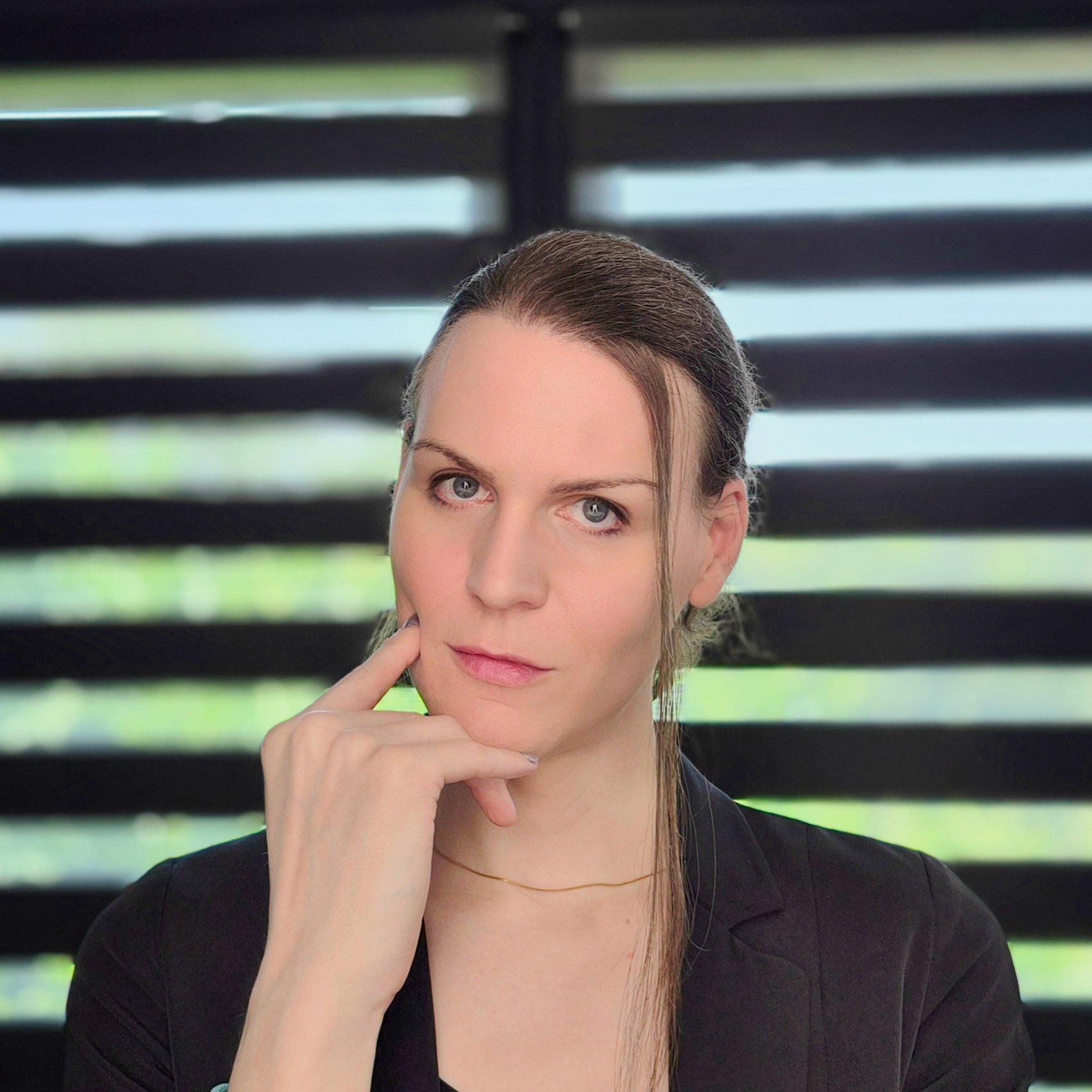
Lexy Callemeyn
Graphic designer & web developer
Hello! I'm Lexy, a graphic designer and a developer of websites and apps for 12 years. Every project is unique to me: I draw logos and I build custom websites for freelancers and companies, from the first sketch to going live, to help them reach their goals with a strong identity online.
A question, a project in mind? Write to me, or discover my work through the links below.
And now?
Want to go further?
Let's talk about your website
Read next